For general contractors
Hot work permits and fire watches, run from a phone.
FireDocs replaces the paper permit with a guided NFPA 51B workflow: the checklist, the signatures, a timed fire watch, and a signed record of every permit.
NFPA 51B · NFPA 241 · FREE DURING THE PILOT
01 — How it works
The paper permit, step by step, on a phone.
Four steps, in the order the standard sets them. A permit can't go active until the first three are done.
01
Screen the work
Every permit starts with the question NFPA 51B asks first: can this be done another way, without hot work? If not, pick the location, the type of work, and who is doing it.
02
Complete the checklist
The pre-work checklist follows the NFPA 51B permit, section by section, and only shows the sections that apply. Photos of the area go in with it.
03
Sign and start
The permit-authorizing individual and the operator sign on the phone. The permit goes active, and the crew logs when hot work starts and stops.
04
Watch, then close
When work stops, the fire watch timer starts. FireDocs tells the fire watch when it can end, takes a close-out photo, and closes the permit.
02 — In the app
What your crew sees.
Screenshots of FireDocs on a phone, from a sample site with made-up names.
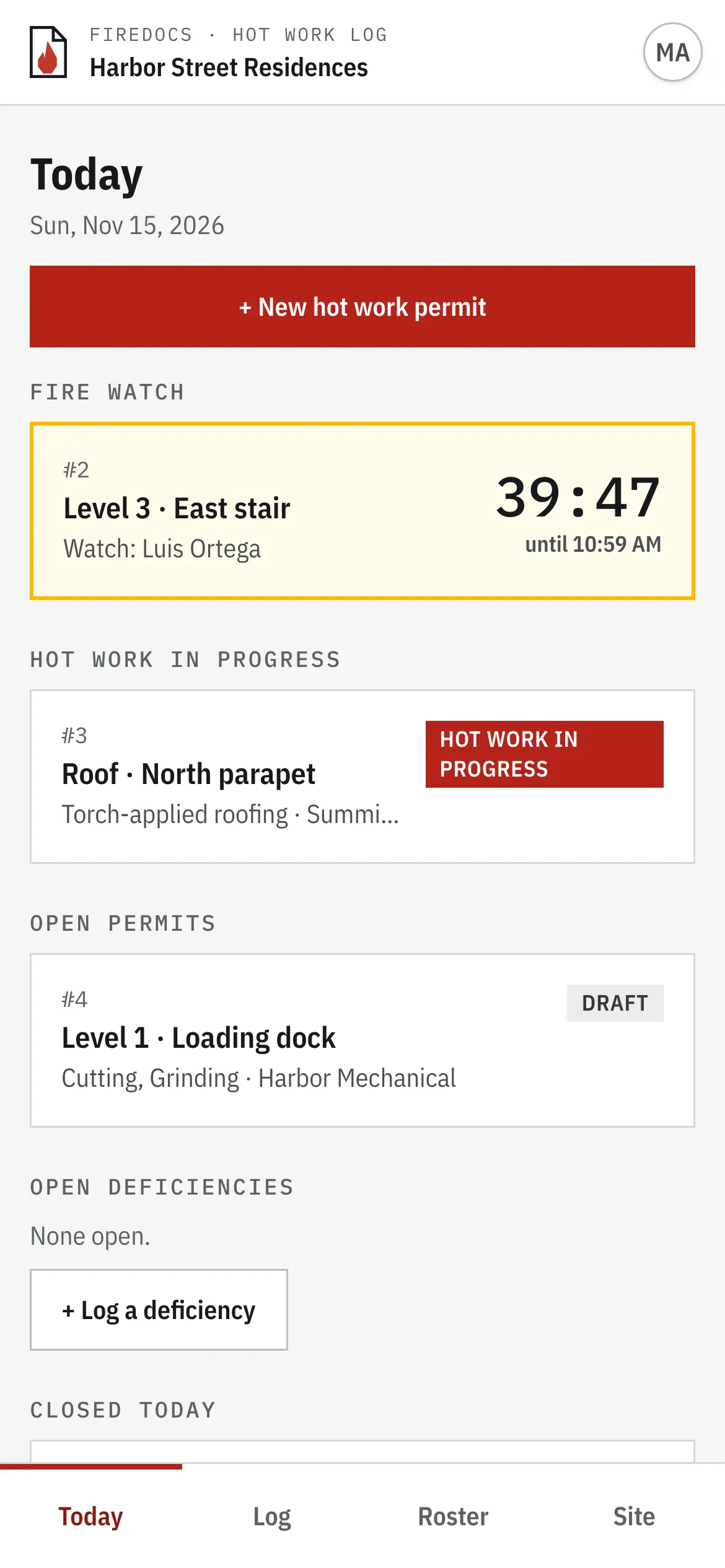
Today board
Every permit on site, and which fire watches are still running.
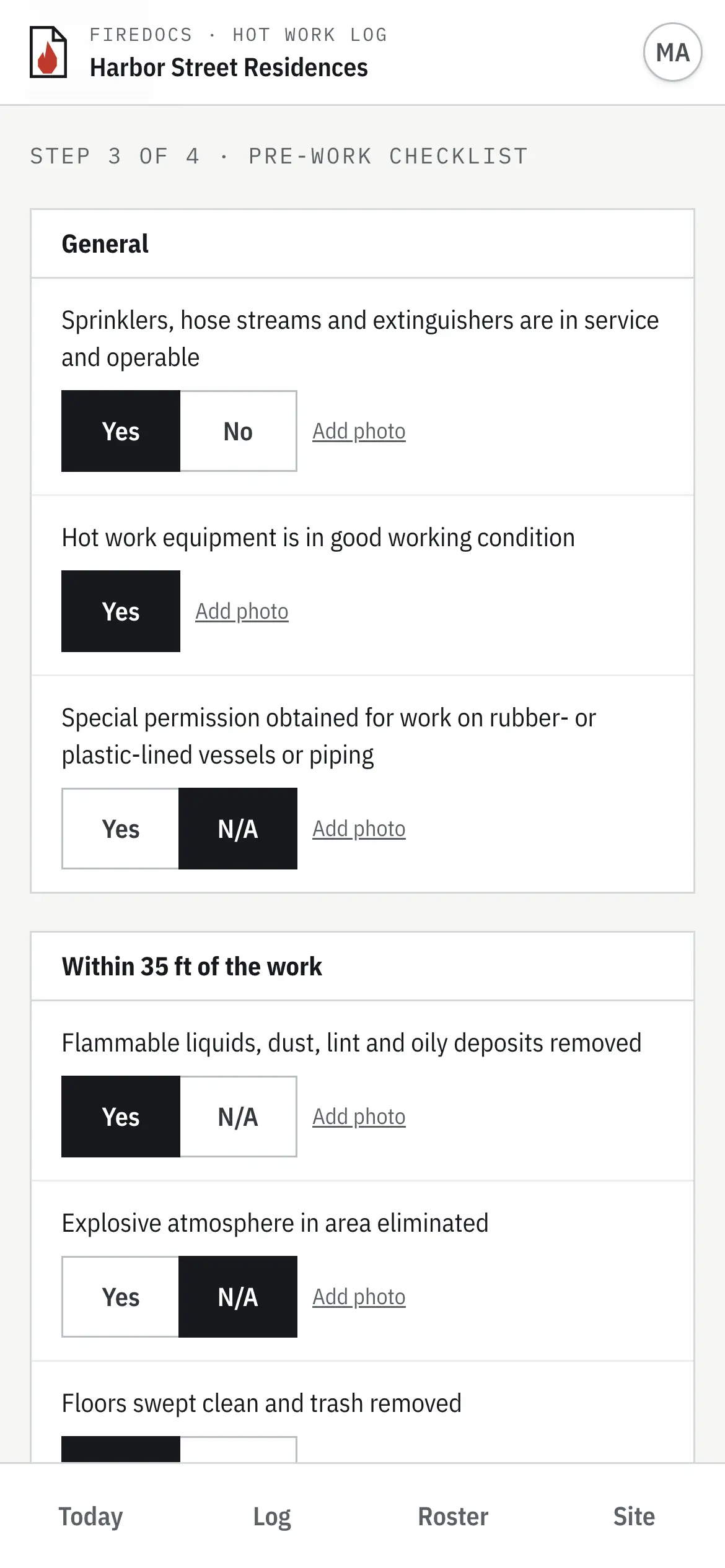
Pre-work checklist
The NFPA 51B checklist, one section at a time, with photos.
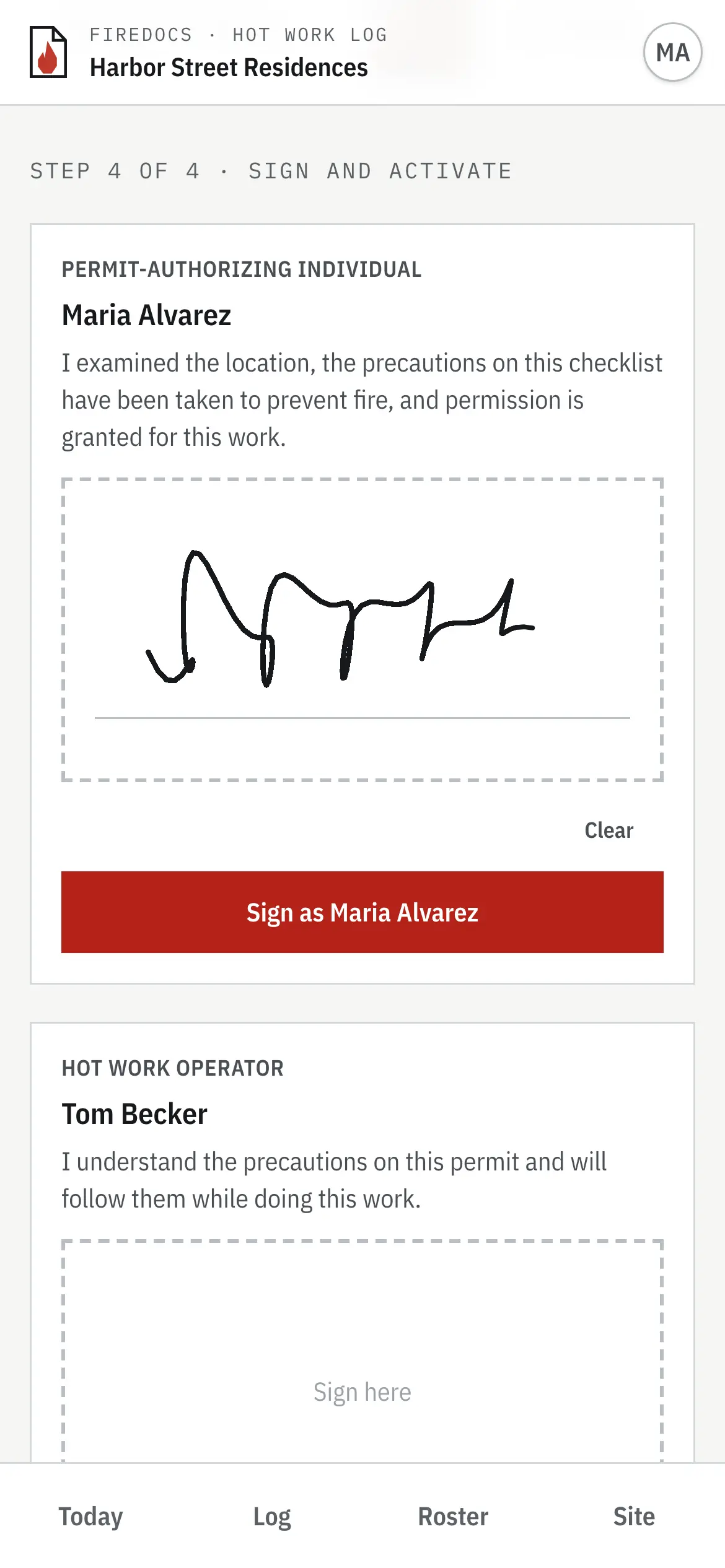
Signatures
The authorizer and the operator sign on the phone.
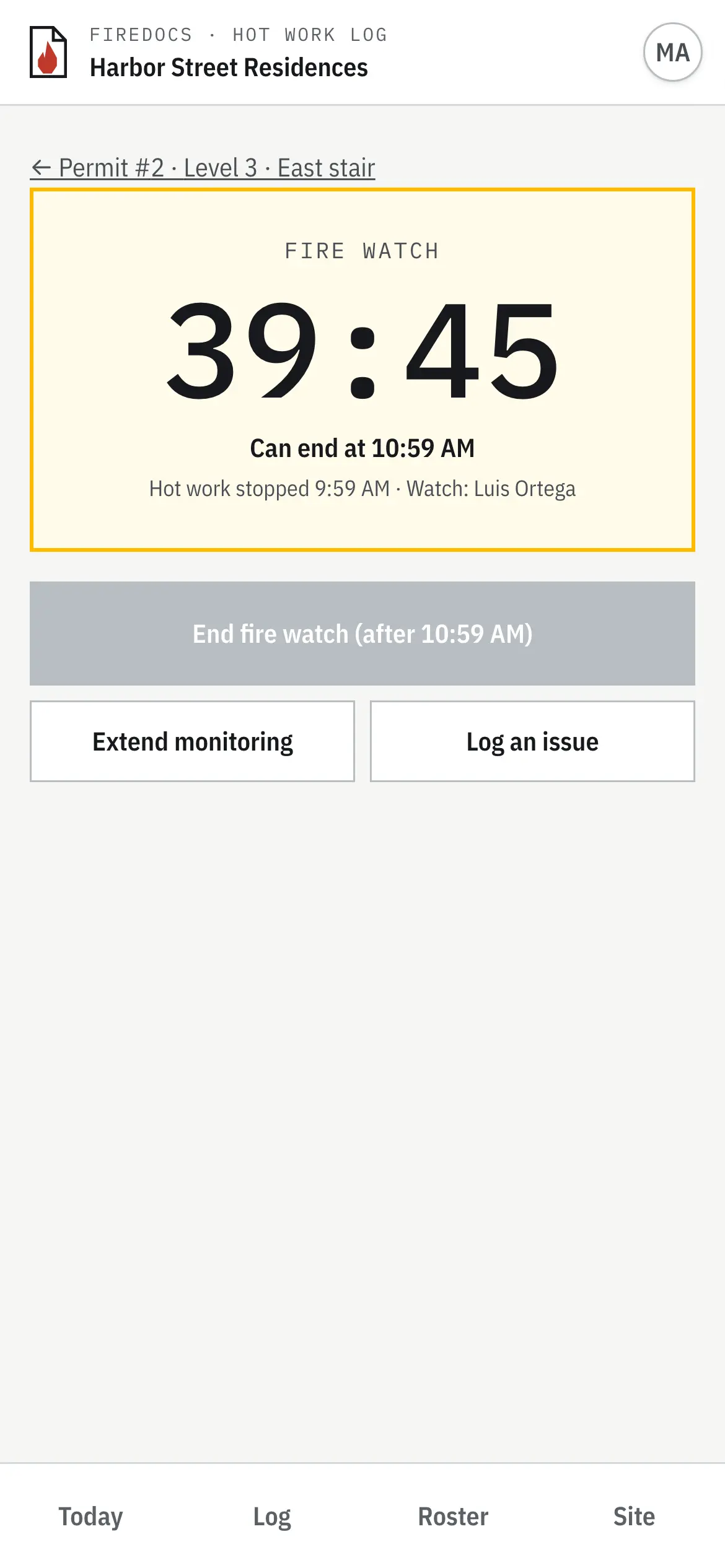
Fire watch
A countdown to the earliest time the watch can end.
03 — Built-in rules
It runs the process, not just the form.
A checklist template records that boxes were ticked. FireDocs holds each permit to the rules.
One permit, one day
A permit is good for the day it’s dated and can’t be activated for any other day.
Named people
Each permit names the operator, the permit-authorizing individual, and the fire watch, picked from your site roster.
Nothing skipped
A permit can’t go active until every checklist item is answered. A “no” has to be corrected first, and a sprinkler impairment has to be recorded.
Photos, before and after
Required photos of the work area before work starts, and a close-out photo when the fire watch ends.
A full 60-minute fire watch
The watch runs at least 60 minutes after work stops. It can be extended, and it can’t be ended early.
A signed record
Every permit keeps its checklist, signatures, photos, and a timeline of what happened and when. Print it or save it as a PDF.
04 — Who uses it
Made for the people on site.
Superintendents and fire prevention program managers
Issue and close permits from the phone already in your pocket. The Today board shows every permit on site and which fire watches are still running.
Safety directors
Know that every permit followed the same steps, and pull the record when a fire official, insurer, or owner asks for it.
Subcontractors
Operators and fire watches sign on the superintendent’s phone. They don’t need an account or an app.
05 — Procore
Your permits, in your project record.
We’re building a Procore integration so a hot work permit is done once, in the field, and recorded in Procore the same day.
In development
- Sign in with your Procore account
- Set up a site from your Procore project: its locations, companies, and people
- Post each closed permit to the project’s Daily Log, with the signed permit attached
On Procore and want to pilot it on a project? Get in touch.
Procore is a trademark of Procore Technologies, Inc. FireDocs is an independent company.
06 — Questions
Common questions
- Which standard does it follow?
- NFPA 51B, the standard for fire prevention during welding, cutting, and other hot work, which NFPA 241 points to for construction sites. The checklist follows the NFPA 51B permit.
- Do we need to install an app?
- No. FireDocs runs in the browser on any phone, tablet, or computer, and can be added to the home screen like an app.
- Does it replace our paper permit?
- Yes. It covers the same ground as the paper permit and adds the timed fire watch, photos, and a record you can find later. You can print any permit if a paper copy has to be posted at the work area.
- Do we need Procore to use it?
- No. FireDocs works on its own today. The Procore integration is in development.
- What does it cost?
- FireDocs is free during the pilot. We’re onboarding pilot sites now, and we’ll agree on pricing with you before the pilot ends.
Run your next hot work permit in FireDocs.
Tell us about your site. We'll set it up with you and walk your superintendent through the first permit.
Contact us